
The conference room has changed. What used to be a physical space with a whiteboard and a speakerphone is now a grid of rectangles on a screen, each one a window into someone’s home office, kitchen, or, occasionally, their car. And while most professionals have adapted to the mechanics of virtual meetings (clicking links, sharing screens, finding the mute button), the subtler layer of video conferencing etiquette is still catching up.
This matters more than it might seem. Your virtual presence shapes how colleagues, clients, and leadership perceive your professionalism, attention to detail, and reliability. In hybrid and remote environments, video calls are often the primary context in which others form opinions about you. The professional who shows up prepared, engaged, and respectful on camera builds trust faster than the one who treats every call as a casual afterthought.
This guide covers the full spectrum of virtual meeting best practices, from pre-meeting preparation to advanced situational etiquette. Whether you are new to remote work or a veteran looking to sharpen your approach, these professional video call tips will help you make a stronger impression every time you join a call.
1. Before the Meeting Begins
The most important minutes of any video call happen before it starts. Showing up technically prepared and professionally presented signals competence before you say a single word.
Technical Preparation
Test your audio and video five to ten minutes before any important meeting. This simple habit prevents the awkward scramble of troubleshooting a microphone while others wait. Close unnecessary applications and browser tabs to preserve bandwidth and processing power; a sluggish computer creates lag that disrupts the flow of conversation for everyone.
Make sure your device is charged or plugged in. Few things undermine online meeting professionalism more visibly than a laptop dying mid-sentence. Update your conferencing software outside of meeting hours so you are never greeted by a forced update screen at the worst possible moment. If your internet connection is unreliable, have a backup plan: your phone’s hotspot, a dial-in number, or a quick message to the organizer explaining you may need to reconnect.
Environmental Setup
Your background communicates something about you whether you intend it to or not. A tidy, neutral background works well in most professional contexts. Virtual backgrounds are acceptable in many workplaces, but choose a clean one and avoid novelty images for client calls or formal meetings. Position your primary light source in front of your face, not behind you. A window or desk lamp facing you eliminates the shadowy silhouette effect that makes you look like you are calling from witness protection.
Set your camera at eye level. Looking up at someone from below, or down from a high angle, creates an unbalanced dynamic that most people register subconsciously. A stack of books under your laptop works well. Minimize potential noise by closing doors and letting household members know you are on a call.
Personal Preparation
Dress professionally from at least the waist up. The classic “dress shirt with pajama pants” approach works until you need to stand up unexpectedly, so consider dressing fully for important calls. Solid, muted colors tend to look best on camera; busy patterns and bright whites can create distracting visual effects. Review the meeting agenda before joining so you can contribute meaningfully rather than reacting in real time to information you could have reviewed in advance.
Preparing questions, data points, or talking points ahead of time is one of the most effective professional video call tips available. It elevates your contributions from reactive to strategic, and others notice the difference.
2. Joining and Starting Strong
How you enter a meeting sets the tone for your entire presence in it. Small details here create disproportionately large impressions.
Timing and Entry
Join two to three minutes before the scheduled start. Arriving too early can be awkward, especially in one-on-one calls where the host may not be ready. Arriving late, even by a minute or two, forces others to pause and acknowledge your arrival. Enter on mute by default. The sound of someone joining while adjusting their setup, shuffling papers, or finishing a conversation is a minor disruption that compounds across a meeting with multiple latecomers.
Make sure your display name is professional and recognizable. “John’s iPad” or a phone number does not help anyone identify who just joined. If the meeting includes people who do not know you, a brief self-introduction when appropriate shows awareness of the group dynamic. This is a small but meaningful element of video conferencing etiquette that newer remote workers often overlook.
First Impressions on Camera
Turn your camera on unless the meeting culture explicitly makes this optional. In most professional settings, camera-on participation signals engagement and respect for the conversation. Position yourself so your head and shoulders are visible, centered in the frame, with a small amount of space above your head.
The single most impactful technique for virtual eye contact is looking at your camera lens when speaking, not at the faces on screen. This feels unnatural at first, but it creates the experience of direct eye contact for everyone watching. When listening, looking at the screen is fine and natural. Developing this habit is one of the strongest remote work communication skills you can build.
3. Audio Management Mastery
Sound is the most common source of virtual meeting disruption, and managing it well is foundational to video conferencing etiquette. Visual glitches are forgivable. Audio problems actively prevent communication.
The Mute Button
In meetings with more than four or five participants, default to mute when you are not speaking. Background noise that seems inaudible to you is often clearly picked up by your microphone and broadcast to the group. The “you’re on mute” reminder, while universal, becomes a credibility issue when it happens repeatedly because it suggests inattention.
In smaller meetings, staying unmuted is usually fine and can feel more conversational. Use your judgment based on your environment. If you are in a quiet workspace, unmuted participation in a three-person call feels natural. If your environment is unpredictable, mute is the safer default.
Eating during meetings is one of the most debated topics in virtual meeting best practices. The short answer: avoid it in any meeting where you might need to speak. Microphones amplify chewing, and the visual is distracting. Drinking water or coffee is generally fine.
Speaking Clearly
Position your microphone six to twelve inches from your mouth for optimal clarity. Speaking too close creates distortion; too far introduces echo. Speak at a measured pace, slightly slower than natural, to compensate for the nuance lost in digital audio.
Avoid talking over others. Audio lag means that what feels like a natural conversational overlap becomes a garbled collision on video. Develop the habit of pausing briefly after someone finishes speaking before you begin.
Audio Equipment Considerations
Headphones with a built-in microphone are the single best audio upgrade for most professionals. They eliminate echo, reduce background noise pickup, and improve clarity for everyone on the call. External microphones offer even better quality and are worth considering if you spend significant time in meetings or presentations. Echo and feedback loops, which occur when your speaker output feeds back into your microphone, are immediately solved by wearing headphones.
4. Visual Presence and Body Language
Your body language on video communicates as loudly as your words, sometimes more so. The limited frame of a video call amplifies small movements and expressions that might go unnoticed in a conference room.
Camera Positioning and Framing
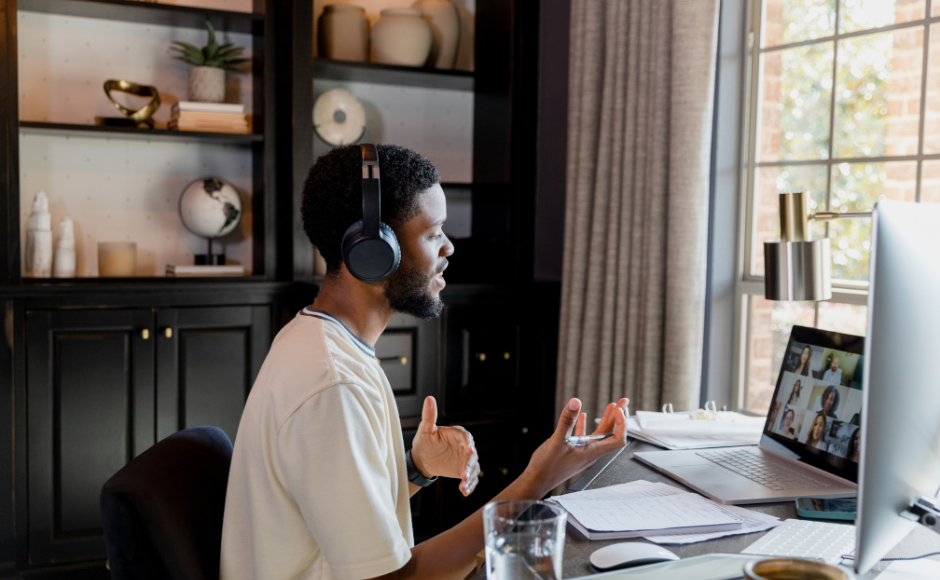
Place your camera at eye level, directly in front of you. This creates a natural, balanced perspective that conveys confidence and engagement. If you use a laptop with a built-in webcam, elevate it on a stand or stack of books. External webcams offer more flexibility and can be positioned independently of your screen, which is particularly useful for dual monitor setups.
Maintain a consistent distance from your camera. Head and shoulders in the frame is the standard for most professional calls. Too close feels intense; too far communicates disengagement. Avoid swaying, rocking, or fidgeting, as motion that feels minor in person becomes magnified and distracting on screen.
Body Language That Builds Credibility
Sit upright with a slight forward lean. This posture communicates interest without appearing rigid. Use hand gestures naturally, but keep them within the visible frame. Nodding while others speak is a simple but powerful visual cue that shows active listening. This is an element of online meeting professionalism that directly impacts how others perceive your engagement.
Facial expressions matter more on video because the camera crops out all other contextual cues. A neutral or slightly pleasant expression while listening is appropriate. Avoid the “resting screen face” that many people develop when passively watching a monitor; it can read as boredom even when you are paying full attention.
Managing Attention Signals
When you look away from your screen to reference notes or another document, it can appear to others as though you are distracted or multitasking. If you need to glance at materials during a meeting, briefly mention it: “I’m just pulling up the data we discussed.” This small narration prevents misinterpretation and demonstrates the kind of transparent remote work communication skills that build trust in virtual teams.
Multitasking is the most common silent violation of video conferencing etiquette. Checking email, browsing, or working on another task during a meeting is almost always visible to others, even when you think it is not. Eye movement, typing sounds, and delayed responses all telegraph that your attention is divided. If a meeting genuinely does not require your full attention, consider whether you need to attend at all.
5. Participation and Interaction
How you contribute during a meeting determines your professional impact far more than how you look or sound. Effective participation requires understanding both the technology and the social dynamics at play.
Contributing Without Dominating
In most video calls, a small number of participants do the majority of the talking. Strong virtual meeting best practices involve finding the balance between contributing meaningfully and leaving space for others. If you notice you have spoken repeatedly without anyone else chiming in, pause and invite input.
Use the raise hand feature in larger meetings rather than interrupting. In smaller groups, verbal cues like “adding to that” or “quick thought on this” signal your intent without cutting someone off. Prepare your contributions in advance so you can deliver them concisely. Rambling on video is more noticeable than in person because others cannot redirect the conversation with subtle physical cues.
Chat Function Protocol
The meeting chat is a parallel communication channel with its own etiquette. Use it to share links, data, or brief supporting points without interrupting the speaker. Avoid extended side conversations in the chat during a presentation, as the typing can be distracting and it fragments the group’s attention.
Be thoughtful about public versus private messages. A misaddressed private message sent to the entire group is one of the most common and potentially embarrassing mistakes in virtual meetings. Before sending any chat message, verify the recipient. This basic online meeting professionalism safeguard takes one second and can prevent significant awkwardness.
Screen Sharing Etiquette
Before sharing your screen, close tabs and applications that are not relevant. Enable Do Not Disturb mode to prevent notification pop-ups from email, messaging apps, or calendar reminders. Share only the specific window needed rather than your entire desktop. When you finish, end the share promptly. These professional video call tips for screen sharing prevent the majority of sharing-related incidents.
6. Common Etiquette Mistakes and How to Recover
Everyone makes mistakes on video calls. What separates professionals is not perfection but how gracefully they handle the inevitable slip.
Technology Blunders
The “you’re on mute” moment happens to everyone. When it happens to you, simply unmute, smile briefly, and repeat your point without excessive apology. Sharing the wrong screen is more serious. If you accidentally share something personal or sensitive, stop the share immediately, say “wrong window, one moment,” and reshare correctly. Do not draw extra attention to the mistake by over-explaining.
Notification pop-ups during a presentation are preventable but common. If one appears, acknowledge it briefly if others noticed (“excuse the interruption”) and continue. After the meeting, adjust your settings so it does not happen again. Having contingency plans for technical failures, such as a phone dial-in number or a colleague who can continue presenting, demonstrates a level of online meeting professionalism that distinguishes experienced remote professionals.
Professional Missteps
Arriving late without a brief acknowledgment or apology creates a negative impression. A quick “apologies for the delay” in the chat is sufficient for most meetings without disrupting the speaker. Leaving early without notice is equally problematic; if you need to depart before the meeting ends, mention it at the start or send a brief chat message to the host.
Visible multitasking is perhaps the most damaging ongoing mistake in video conferencing etiquette because it signals that you do not value the meeting or the people in it. If you are caught, a simple redirect of your attention is usually enough. Repeated instances, however, erode trust in ways that are difficult to repair.
Recovery Is a Skill
When mistakes happen, acknowledge them briefly, correct the issue, and move on. Over-apologizing draws more attention to the error and consumes meeting time. The ability to recover gracefully from a virtual mishap is itself a valuable remote work communication skill that others respect. Most people are far more understanding of a quick, confident recovery than they are of a prolonged, flustered explanation.
7. Advanced Etiquette for Specific Situations
Different meeting contexts require calibrated approaches. The etiquette appropriate for an internal team standup differs significantly from a client presentation or a job interview.
Client and External Meetings
When meeting with clients or external partners, default to a higher standard of formality. Use your full name in the display, dress a level above your usual internal standard, and ensure your background and environment are impeccable. Follow the client’s lead on camera norms and tone. If they keep cameras off, do not pressure them to turn on. If they are formal, match their energy.
Recording meetings requires explicit permission. Always ask before recording, and confirm that all participants are aware. This is not just good virtual meeting best practices; in many jurisdictions, it is a legal requirement. Treat everything said in a client meeting as potentially sensitive, and avoid sharing your screen casually without reviewing what is visible.
Job Interviews
Virtual interviews demand the highest level of online meeting professionalism. Treat the setup as seriously as walking into a physical office. Your background, lighting, audio, and appearance should be flawless. Test everything the day before and again an hour before. Have a backup device charged and ready.
Maintain strong eye contact by looking at the camera when answering questions. Keep notes if needed, but position them near your camera so glancing at them looks natural. Follow up with a thank-you email within 24 hours referencing specific points from the conversation.
Presentations and Webinars
Presenting on video requires a different energy level than participating. Speak with slightly more projection and vocal variation to compensate for the flatness of digital audio. Use pauses deliberately. Rehearse screen sharing transitions so they are smooth and confident. Effective virtual presenting is among the most valuable remote work communication skills in any organization.
Engage the audience by name when possible and use polls or reactions to maintain interactivity. Co-presenter coordination should be planned in advance, including who controls slides, who monitors chat, and how handoffs will work.
International and Cross-Cultural Calls
Time zone awareness is a fundamental courtesy. When scheduling across regions, rotate the inconvenient time slot rather than always defaulting to one group’s working hours. Be mindful that communication styles, levels of formality, and expectations around participation vary across cultures. Speaking clearly and at a moderate pace helps participants who may be communicating in a second language. These considerations reflect professional video call tips that extend beyond technical skill into cultural awareness and respect.
8. Building Long-Term Virtual Presence
Video conferencing etiquette is not a one-time checklist. It is an ongoing professional practice that evolves as norms shift and as your career advances.
Consistency Creates Reputation
Your virtual presence should be reliably professional across meetings, weeks, and months. The colleague who always has a clean setup, joins on time, and contributes thoughtfully builds a reputation that compounds. Consistency in virtual meeting best practices communicates dependability, one of the most valued traits in remote teams.
Seek feedback on your virtual presence if comfortable. Ask a trusted colleague about your audio quality, background, and participation style. Most people never receive this feedback and continue repeating minor issues they could easily fix.
Adapting to Evolving Norms
The standards for online meeting professionalism continue to shift. Camera-on expectations, appropriate backgrounds, and communication styles vary by company, team, and industry. Stay observant and adaptive. What was acceptable in 2020, when everyone was figuring out remote work simultaneously, may not meet the standards expected today in a mature hybrid environment.
Managing Work-Life Boundaries
Working from home means your personal life occasionally appears on camera. A child walking into frame, a pet making noise, or a delivery arriving mid-meeting are realities of home-based work. Handle these moments with brief humor and a quick return to professional mode. A brief “excuse me for one moment” is usually all that is needed.
Setting availability expectations and communicating your schedule to household members before important calls prevents most interruptions. This boundary management is an often-overlooked dimension of remote work communication skills that protects both your professional image and personal life.
Your Next Step
Video conferencing etiquette is, at its core, about respect: respect for other people’s time, attention, and professional experience. The technical details matter, but they serve a deeper purpose. A well-positioned camera, a clear microphone, and a prepared agenda all communicate the same message: this meeting and these people are worth my effort.
You do not need to master every element of virtual meeting best practices at once. Pick one area from this guide where you know you could improve. Maybe it is your lighting setup. Maybe it is your habit of multitasking during calls. Maybe it is developing the confidence to contribute more actively. Focus on that single improvement for a week, and you will likely notice a difference in how others respond to you.
The professionals who thrive in remote and hybrid environments are not the ones with the most expensive equipment or the most polished backgrounds. They are the ones who consistently show up prepared, present, and respectful. These professional video call tips and remote work communication skills are not temporary adaptations. They are permanent professional competencies that will serve your career for years to come.