
You finally landed the remote position, or maybe your company just announced a permanent hybrid schedule. Either way, you sit down at the kitchen table on Monday morning, open your laptop, and within two hours, your back aches, the glare on your screen is unbearable, and the dog is barking directly into your conference call. Sound familiar?
The truth is, a productive home office setup doesn’t require a Silicon Valley salary. It requires intention. Whether you’re working with a $100 budget scraped together from a garage sale or ready to invest $1,000 in a full professional workspace, the principles are the same: comfort, functionality, and sustainability over eight-hour days.
This guide breaks down everything you need to build a work-from-home setup that actually works — for your body, your productivity, and your wallet. Just practical, tested advice organized by category and budget tier so you can jump straight to what matters most.
Let’s get to work.
1. Essential Foundation Elements: Your Desk and Chair
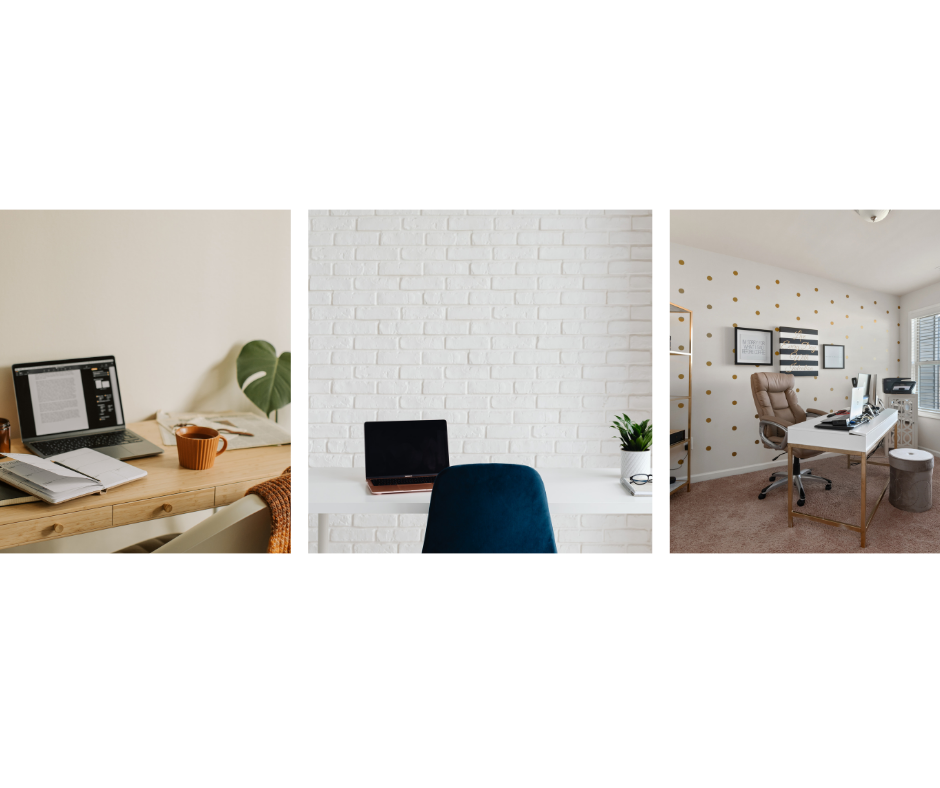
Every home office setup starts with two things: a surface to work on and something to sit in. Get these right, and everything else falls into place more easily. Get them wrong, and no amount of fancy equipment will save you from fatigue and frustration.
The Shoestring Approach ($0-100)
If you’re working with almost nothing, start by auditing what you already own. A sturdy dining table, a clean door blank laid across two filing cabinets, or even a wide shelf mounted to the wall at elbow height can serve as a perfectly functional desk. The key measurements to hit are roughly 28 to 30 inches in height, at least 24 inches of depth, and enough width to keep your screen and a notepad side by side without cramming.
For seating on a tight budget, a firm dining chair is a better starting point than a soft couch. You can dramatically improve a basic chair with a rolled-up towel behind your lower back for lumbar support and a firm cushion on the seat. Many remote workers discover this DIY approach is surprisingly effective while they save up for something better.
The Moderate Investment ($100-500)
This is where strategic spending pays dividends. The single best investment in this range is an ergonomic office chair. Allocate roughly 40 to 50 percent of a moderate budget toward seating. Look for chairs with adjustable seat height, lumbar support, and armrests that can be raised or lowered. Many mid-range chairs in the $150 to $300 range offer genuine ergonomic features that will hold up for years.
For your desk, a simple rectangular desk with sturdy legs in the $80 to $150 range will outperform most elaborate “gaming” or “executive” desks at twice the price. Prioritize stability over aesthetics. If the desk wobbles when you type, it will drive you slowly insane over the course of a year.
The Premium Setup ($500-1,000+)
With a larger budget, you can invest in ergonomic home office furniture that adjusts to your exact body and working style. A sit-stand desk with an electric motor for height adjustment runs between $300 and $600, and it is one of the most impactful upgrades for long-term health. Pair that with a high-quality ergonomic office chair featuring mesh back support, adjustable seat depth, headrest, and tilt tension control.
At this tier, consider measuring your space carefully before purchasing. A premium desk that’s too large for your room creates more problems than it solves. Leave at least three feet of clearance behind your chair so you can roll back comfortably.
2. Technology and Equipment Setup
Your home office equipment doesn’t need to be cutting-edge, but it does need to be arranged thoughtfully. How you position your technology matters as much as what you buy.
Screen Positioning and Monitor Options
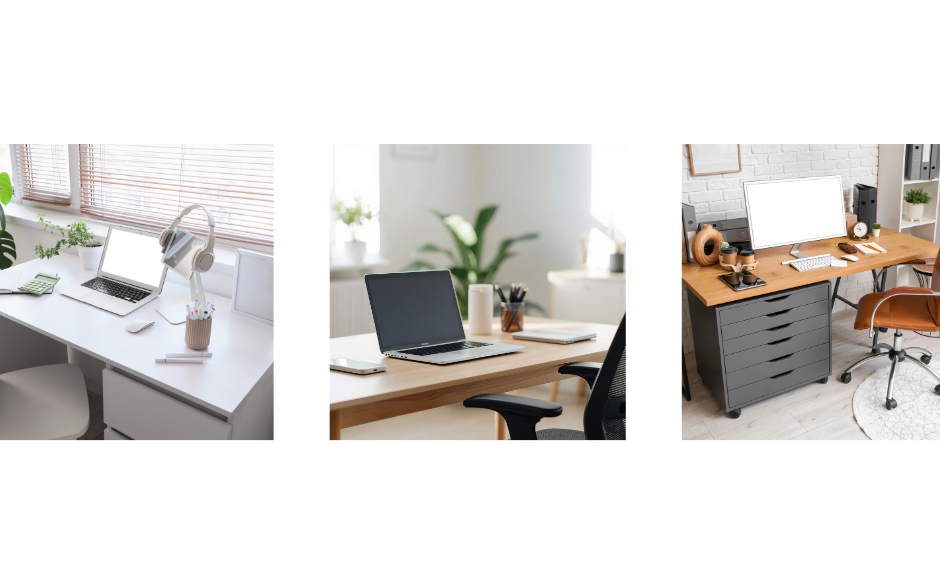
If you work from a laptop, you already know the fundamental problem: the screen is too low. Looking down at a laptop for eight hours a day is a fast track to neck pain. The simplest fix is a laptop stand — or a stack of hardcover books — that brings the top of your screen to eye level. This one adjustment, which costs nothing if you own books, can eliminate a surprising amount of daily discomfort.
For those ready to invest, an external monitor changes the game entirely. Even a basic 24-inch monitor provides dramatically more screen space, and a monitor arm mount lets you dial in the perfect height and angle while freeing up desk space. If your work involves spreadsheets, design, or frequent document comparison, a dual monitor configuration can boost efficiency significantly.
Keyboard and Mouse Considerations
When you elevate your laptop to eye level, you’ll need a separate keyboard and mouse. A wireless keyboard and mouse combo eliminates cable clutter and typically costs between $30 and $60 for a reliable set. Look for a keyboard with a comfortable key travel distance — the amount the keys depress when you press them — and a mouse that fits the natural curve of your hand without requiring you to grip it tightly.
I’ve found that many people overlook the importance of a good mouse pad or wrist rest. A padded wrist rest for your keyboard costs under $15 and can prevent the kind of repetitive strain that builds up silently over months before becoming a real problem.
Internet and Power Protection
A weak internet connection will undermine every other investment you make. If your home office is far from your router, a mesh Wi-Fi system or a powerline ethernet adapter can provide a stable connection without running cables through your hallway. For video conferencing equipment reliability, a wired ethernet connection is always preferable when possible.
Don’t overlook surge protectors. A good surge protector with at least 1,000 joules of protection costs $20 to $40 and can save thousands in damaged equipment from a single power spike. If you live in an area with frequent outages, a small uninterruptible power supply gives you enough time to save your work and shut down gracefully — a worthwhile investment at $50 to $100.
3. Ergonomics and Health: Protecting Your Body at Work
You can have the most beautiful home office in the world, but if it hurts to sit in it after three hours, something is fundamentally wrong. Ergonomics isn’t a luxury — it’s the foundation of sustainable remote work.
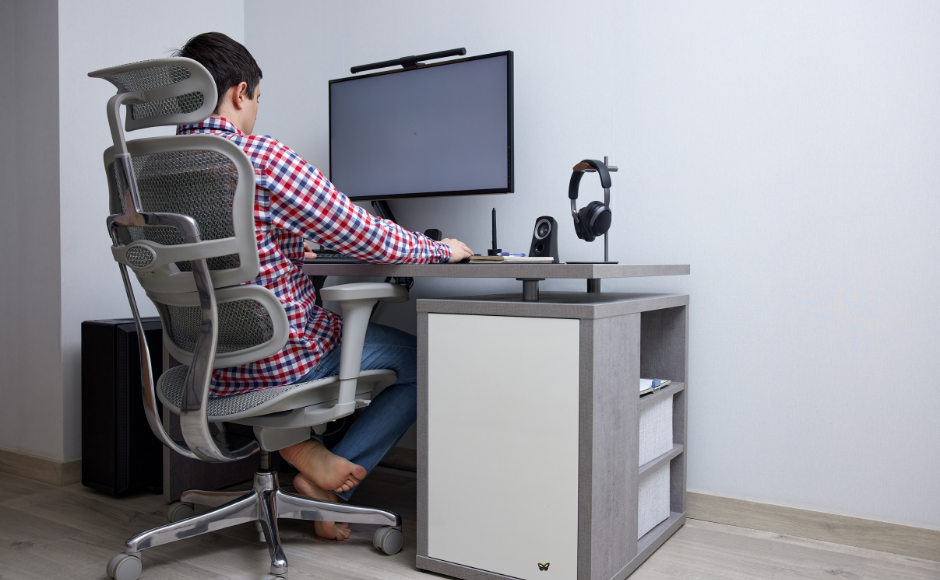
The 90-Degree Rule framework for ergonomic positioning involves right angles. When you’re seated, your elbows should bend at roughly 90 degrees with your forearms parallel to the floor. Your knees should also bend at about 90 degrees with your feet flat on the floor. If your feet dangle because your chair is too high, a footrest — or a ream of printer paper — solves the problem immediately.
Your monitor should sit at arm’s length away, with the top of the screen at or just slightly below eye level. This position allows your eyes to naturally rest on the center of the screen with a slight downward gaze, which reduces both eye strain and neck tension.
Standing Desk Options and Converters
You don’t need a full standing desk to enjoy the benefits of alternating positions. A standing desk converter sits on top of your existing desk and raises your keyboard and monitor to standing height. Good converters start around $150 and offer a genuine health benefit: research consistently shows that alternating between sitting and standing reduces back pain and improves energy levels.
The key is moderation. Aim for roughly 30 minutes standing for every 60 minutes sitting, and adjust based on how your body responds.
Eye Strain Prevention
The 20-20-20 rule is one of the most effective and underused techniques in any home office. Every 20 minutes, look at something 20 feet away for at least 20 seconds. This simple habit relaxes the focusing muscles in your eyes and can dramatically reduce the headaches and blurred vision that plague long-hour screen workers. Pair this with a monitor brightness that matches the ambient light in your room — a screen that glows like a flashlight in a dim room is working your eyes far harder than necessary.
4. Lighting and Ambiance: The Overlooked Productivity Factor
Lighting is the most underestimated element in a productivity workspace design. Most people set up their desk, arrange their equipment, and never think about where their light is coming from. Then they wonder why they have headaches by 3 PM.
Natural Light: Your Best Free Resource
Position your desk perpendicular to a window rather than directly facing it or having it behind you. Facing a window creates intense glare on your screen. Having a window behind you turns your face into a silhouette on video calls. A perpendicular position gives you natural light without interfering with your screen or camera.
If you don’t have window access, artificial home office lighting solutions can replicate many of the benefits of daylight when chosen carefully.
Task Lighting and Color Temperature
A single overhead light is usually insufficient for focused work. Add a dedicated desk lamp positioned on the opposite side of your dominant hand — so if you’re right-handed, place the lamp on your left — to minimize shadows while writing or reading documents.
Color temperature matters more than most people realize. Measured in Kelvins, light ranges from warm (2700K, yellowish) to cool (5000K+, bluish-white). For focused work, aim for 4000K to 5000K, which approximates natural daylight and supports alertness without feeling clinical. For evening work, warmer tones around 2700K to 3000K are easier on the eyes and less likely to interfere with your sleep cycle.
Budget Lighting Solutions
You don’t need expensive smart bulbs to get good office lighting. A decent LED desk lamp with adjustable brightness and color temperature settings costs between $25 and $50 and will last for years. If you want to reduce screen glare on a budget, a simple bias light — an LED strip attached to the back of your monitor — costs under $15 and reduces the contrast between your bright screen and the darker room behind it. This subtle trick reduces eye fatigue noticeably during long work sessions.
5. Organization and Productivity: Keeping the Chaos at Bay
A cluttered workspace isn’t just an aesthetic problem — it’s a cognitive one. Research suggests that visual clutter competes for your attention and reduces your capacity for focused work. Keeping your home office organized is a genuine productivity strategy.
Cable Management at Every Price Point
Cables are the fastest path to desk chaos. At the free tier, simple velcro cable ties and binder clips attached to the edge of your desk can keep charging cables and peripherals neatly routed. For a modest investment of $15 to $30, cable management trays that mount under your desk hide the entire tangle of power strips and cords from view. At the premium end, cable management systems with integrated raceways and adhesive cable channels create an almost wireless-looking setup.
One lesser-known tip: label your cables at both ends with small pieces of masking tape. When you need to unplug something specific, you won’t have to trace each cable through a snarl behind your desk.
Storage and Supplies
Vertical storage is your friend in a small home office. Floating shelves above or beside your desk keep reference materials and supplies accessible without consuming desk surface. A single desk drawer organizer or a small three-tier filing system is usually sufficient for most remote workers’ daily needs. Apply the one-touch rule: every item gets a designated home, and when you’re done using something, it goes back immediately rather than piling up.
Noise Reduction Strategies
If you share your home with family, roommates, or enthusiastic pets, noise management deserves real attention. Noise-cancelling headphones are arguably the most impactful single purchase for productivity in a shared living space. Even mid-range options provide enough active noise cancellation to mute background conversations and household sounds.
For the workspace itself, soft furnishings absorb sound. A bookshelf filled with books, a rug under your desk, and heavy curtains on a nearby window all reduce echo and ambient noise. If you’re on frequent video calls, a foam panel or two on the wall behind your monitor can significantly improve your audio quality for others on the call.
Plants and Personalization
Adding one or two plants to your workspace isn’t just decorative. Snake plants, pothos, and ZZ plants are nearly indestructible, tolerate low light, and research has linked indoor plants with improved concentration and reduced stress. Keep personalization intentional — a few meaningful items are more effective than a desk covered in trinkets that scatter your focus.
6. Budget-Specific Complete Setups: Three Ready-Made Plans
Sometimes you just want someone to tell you exactly what to buy. Here are three complete home office setups with approximate pricing and budget allocation to help you plan your purchases strategically.
The Starter Setup: Under $200
This budget home office idea focuses on the essentials and nothing more. It won’t look like a magazine spread, but it will be functional, comfortable enough for full workdays, and a solid foundation to build on.
Budget allocation: 35% seating, 25% desk, 25% tech accessories, 15% organization.
Around $70 for a basic ergonomic task chair with adjustable height and lumbar support — widely available at this price and far superior to a dining chair. About $50 for a simple writing desk or folding table with at least 40 inches of width. Approximately $40 for a laptop stand, wireless keyboard and mouse combo, and a basic surge protector. The remaining $30 covers a desk lamp, cable ties, and a small organizer tray.
The Balanced Setup: $500-750
This mid-range budget lets you make meaningful investments in comfort and productivity without overspending. This is the sweet spot for most remote workers who plan to work from home for a year or more.
Budget allocation: 40% seating, 25% desk, 20% tech, 15% accessories and organization.
Approximately $250 to $300 goes toward a quality ergonomic office chair with adjustable armrests, lumbar support, and breathable mesh back — this is the single purchase that will make the biggest difference in your daily comfort. About $150 to $175 for a solid desk with good depth and cable management features or a simple standing desk converter if you prefer to alternate positions. Around $100 to $150 for an external monitor in the 24-inch range plus a monitor arm mount for adjustable positioning. The remaining $75 to $100 covers a quality desk lamp with adjustable color temperature, cable management tray, wireless keyboard and mouse, noise-cancelling earbuds, and basic organizational supplies.
The Premium Setup: $1,000+
This investment-grade setup is built for people who work from home full-time and want a workspace that rivals or exceeds a traditional office. Every component is chosen for long-term durability and ergonomic excellence.
Budget allocation: 35% seating, 30% desk, 20% tech, 15% accessories, and ambiance.
Roughly $350 to $450 toward a premium ergonomic office chair with a 10-year or longer warranty and full adjustability. About $300 to $500 for an electric sit-stand desk with programmable height presets. Around $200 to $300 for a 27-inch or larger monitor with an adjustable arm, plus a quality webcam and microphone for professional video conferencing equipment. The remaining $150 or more goes toward comprehensive cable management systems, task and ambient lighting, a UPS battery backup, noise-cancelling headphones, and workspace accessories like a footrest and desk mat.
Getting Started: Your Next Steps
Here’s the most important thing to understand about building a home office setup: you don’t have to do it all at once. The best workspace is one that evolves with your needs, your budget, and your understanding of how you actually work day-to-day.
Start with whatever budget you have right now. Even $30 spent on a laptop stand and a cable organizer can noticeably improve your daily experience. Then pay attention to what bothers you most. Is it your back? Invest in seating first. Is it eye strain? Address your lighting and monitor position. Are video calls a constant source of stress? Focus on your audio and camera setup.
The return on investment for a well-designed home office goes beyond dollars and cents. Reduced back pain, fewer headaches, better focus, and a workspace you genuinely enjoy sitting down at each morning — these compound over months and years into a meaningfully better working life.
You don’t need a perfect office. You need a functional one. Start where you are, use what you have, and upgrade one piece at a time.